Tag: Wi-Fi

  • Why Business Wi‑Fi Keeps Dropping (and How to Fix It)

    Why Business Wi‑Fi Keeps Dropping (and How to Fix It)

    Introduction

    Frequent Wi‑Fi dropouts can paralyse productivity in small and medium-sized businesses. Whether it’s slow checkout systems, interrupted VoIP calls or staff unable to access cloud apps, unstable wireless connectivity costs time and money. This article explains the common reasons why business Wi‑Fi keeps dropping, practical checks you can perform, and when to call RandTech IT for experienced, fast resolution.

    Common causes of business Wi‑Fi dropouts

    1. Interference from other devices

    Office environments are full of electronics that share the same frequencies as Wi‑Fi. Microwaves, Bluetooth devices, cordless phones and some security cameras can interfere with 2.4 GHz and 5 GHz channels, causing intermittent disconnections.

    2. Poor access point placement

    Access points (APs) placed too close to walls, metal cabinets or large machinery will have reduced coverage. Placing APs in ceilings or central, elevated positions improves range and reduces dead zones.

    3. Overloaded access points

    Consumer-grade routers and a single AP serving many devices will struggle. When too many users or IoT devices connect to the same AP, throughput drops and connections can time out.

    4. Channel congestion

    In dense office buildings or business parks in Gauteng, multiple Wi‑Fi networks overlap. If neighbouring networks use the same channels, they compete and cause packet loss and disconnects.

    5. Firmware and configuration issues

    Outdated firmware, incorrect power settings, or misconfigured security (WPA2/WPA3 mismatches) can produce unstable behaviour. APs and controllers require maintenance like any network device.

    6. ISP and WAN problems

    Sometimes the wireless is fine but the internet link is unstable. Packet loss, high latency or intermittent ISP outages will look like Wi‑Fi dropouts to users accessing cloud services.

    7. Hardware faults and ageing equipment

    Access points, switches and cabling degrade. Faulty PoE injectors, overheating APs or failing switches can cause intermittent network disruptions.

    Practical checks you can run now

    Quick on-site tests

    • Walk the office with a laptop or phone and note where disconnects occur.
    • Restart the problematic AP and check logs for repeated errors.
    • Switch a device to mobile data to confirm whether the issue is local Wi‑Fi or the internet link.

    Use basic diagnostic tools

    • Run a continuous ping to a reliable external IP (e.g. 8.8.8.8) to detect packet loss.
    • Use a Wi‑Fi analyser app to view channel usage and signal strength across 2.4 GHz and 5 GHz bands.
    • Check AP and controller firmware versions and upgrade if supported and tested.

    Quick configuration checks

    • Ensure SSID settings, authentication and encryption are consistent across APs.
    • Confirm auto-channel selection is working or manually set less congested channels.
    • Set appropriate transmit power to avoid co-channel interference between your own APs.

    When to upgrade or redesign your Wi‑Fi

    If dropouts persist after basic troubleshooting, it may be time to consider a professional redesign. Signs you need an upgrade include frequent congestion, many mobile users, VoIP/UC instability, expanding branch offices or ageing hardware.

    Enterprise-grade APs and controllers

    Business-grade APs handle more concurrent clients, offer better radios and advanced features such as band steering, airtime fairness and seamless roaming. A central controller or cloud-managed solution helps maintain consistent settings and visibility.

    Proper site survey and capacity planning

    A wireless site survey maps coverage, identifies interference sources and defines AP placement. Capacity planning ensures the network supports peak loads and the applications your team relies on.

    Segmentation and QoS

    Separate guest networks from business traffic and apply Quality of Service for VoIP and critical cloud apps. Segmentation improves security and ensures essential services remain usable during congestion.

    Cost considerations for South African SMEs

    Upgrading Wi‑Fi need not break the bank. Typical costs depend on scale: a small office might invest in a few quality APs and a managed service contract, while larger sites require a full site survey and controller licences. Factor in reduced downtime and productivity gains when evaluating return on investment. RandTech IT can provide clear, localised cost estimates in Rands and recommend solutions that suit your budget.

    When to call RandTech IT

    Some problems benefit from experienced engineers rather than piecemeal fixes. Call RandTech IT when:

    • Dropouts affect voice, payments or customer-facing services
    • You need a reliable site survey and capacity plan
    • Hardware replacement, firmware upgrades or network redesign are required
    • You prefer fast resolution by experienced engineers rather than learning on your time

    FAQ

    Why does Wi‑Fi drop more during peak hours?

    Peak periods see more devices actively using bandwidth, causing AP congestion, channel contention and higher latency. Proper capacity planning and AP density reduce peak-time dropouts.

    Can a single faulty device cause the network to drop?

    Yes. A malfunctioning device can flood the network or cause RF noise. Isolating and disconnecting suspicious devices helps identify the culprit.

    Is 5 GHz always better than 2.4 GHz?

    5 GHz offers higher throughput and less interference but shorter range. A mixed approach with band steering provides the best overall performance for most offices.

    Will upgrading to enterprise gear solve all issues?

    Enterprise hardware helps but must be deployed correctly. A professional site survey, proper configuration and ongoing management are essential to address root causes.

    How quickly can RandTech IT respond to Wi‑Fi outages?

    RandTech IT prioritises fast resolution. Response times depend on support level and location, but our approach focuses on practical fixes by experienced engineers to restore services quickly.

    Conclusion

    Intermittent Wi‑Fi dropouts are usually solvable with a mix of practical checks, better hardware and thoughtful network design. For South African SMEs, minimising downtime and restoring reliable connectivity is critical for productivity and customer service. If your business Wi‑Fi keeps dropping and internal troubleshooting hasn’t helped, RandTech IT provides experienced engineers, clear recommendations and fast resolution aligned with your budget and operational needs.

    Contact RandTech IT for practical, experienced assistance with Wi‑Fi troubleshooting, site surveys and managed networking solutions. Let us help you stop dropouts and keep your business connected.
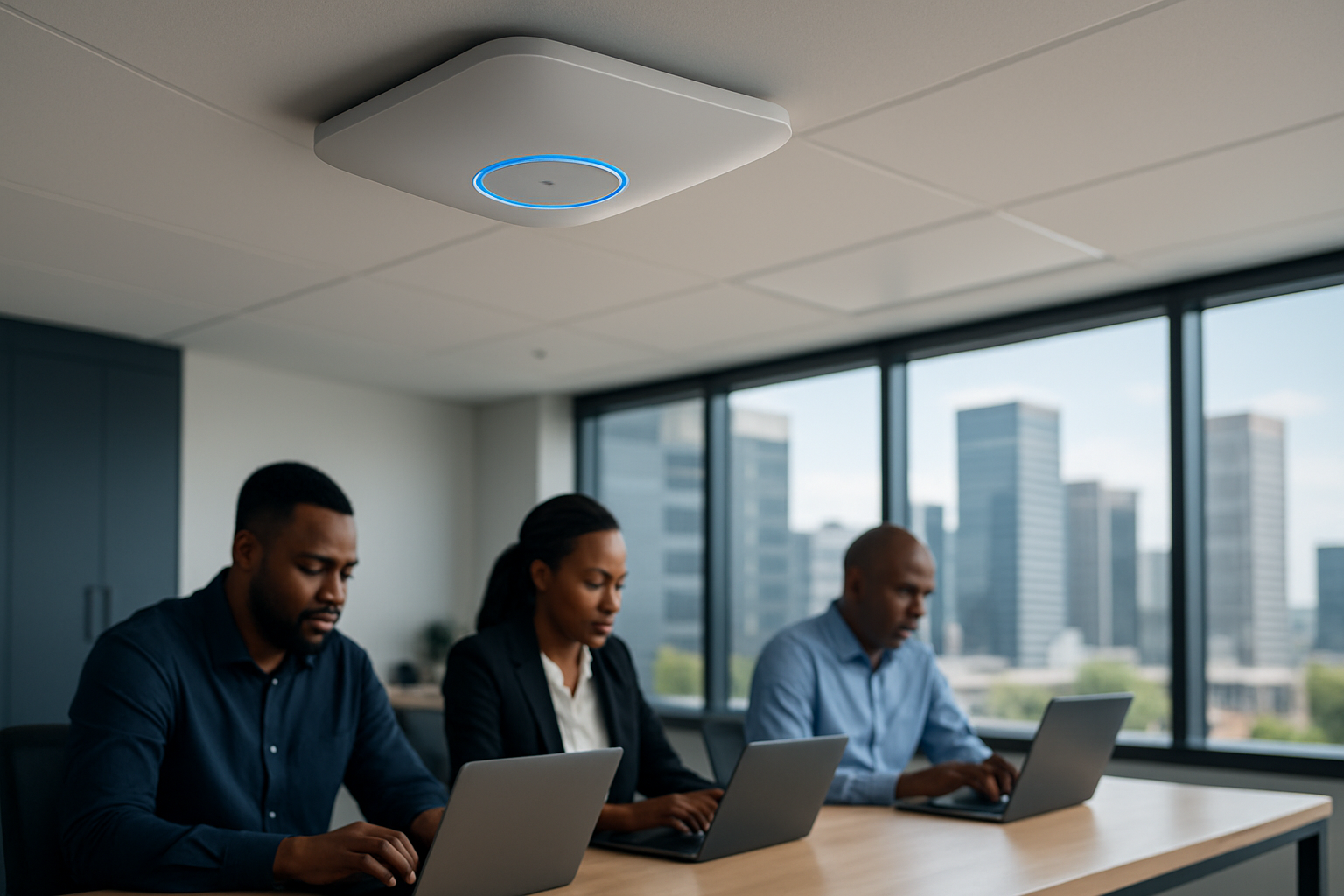

  • Business Wi‑Fi vs Consumer Wi‑Fi: What SA SMBs Need

    Business Wi‑Fi vs Consumer Wi‑Fi: What SA SMBs Need

    Introduction

    Choosing the right wireless network is a practical decision for South African small and medium-sized businesses (SMBs). “Business Wi‑Fi vs consumer Wi‑Fi” is a distinction that affects performance, security, support and total cost of ownership. For Johannesburg and Gauteng companies where connectivity interruptions can mean lost productivity and revenue, understanding these differences helps you make a future‑proof choice.

    What distinguishes business Wi‑Fi from consumer Wi‑Fi?

    At a high level, consumer Wi‑Fi products are made for homes and light usage. Business Wi‑Fi is designed for multiple users, security compliance, and reliable uptime. The differences show up in hardware, features, management and support.

    Hardware and performance

    • Consumer routers: All‑in‑one devices that combine modem, router, switch and wireless radio. They are cost‑effective but struggle with many simultaneous connections and sustained throughput.
    • Business access points (APs): Separate APs and controllers scale across multiple offices, offer better antenna design, and maintain consistent coverage for dozens to hundreds of clients.

    Security and network segmentation

    Business Wi‑Fi supports advanced security like WPA3 Enterprise, RADIUS authentication, VLANs and guest network isolation. Consumer devices typically provide WPA2 Personal and a basic guest SSID without proper client segregation.

    Manageability and visibility

    Managed business Wi‑Fi gives centralised monitoring, performance analytics and remote troubleshooting. Consumer routers offer minimal logging and no central policy control, making proactive maintenance difficult.

    Why the differences matter for South African SMBs

    SMBs in South Africa face unique pressures: competition for skilled staff, the need to maintain client trust, and the cost of downtime. Choosing the wrong Wi‑Fi approach can increase risk and operating expense.

    Productivity and customer experience

    Slow or unreliable Wi‑Fi directly affects staff productivity and client interactions. For retail, professional services and small clinics in Gauteng, a poor network can mean delays at point of sale, slow cloud access, or disrupted video calls with clients.

    Security and compliance

    Data protection is essential. Business Wi‑Fi supports stronger encryption and authentication, reducing the chance of unauthorised access to company systems and customer information.

    Cost comparison: upfront vs long‑term

    Consumer Wi‑Fi has a lower upfront price, but business systems deliver savings over time through reliability, lower downtime costs and easier scaling.

    Upfront costs

    • Consumer: One off purchase of a router from a retail store (cheaper initially).
    • Business: Higher initial hardware cost for APs, controllers and cabling.

    Operating costs and ROI

    Consider these long‑term factors:

    • Reduced downtime and fewer on‑site fixes when using professional gear and managed services.
    • Better security reduces the risk and potential cost of breaches.
    • Scalability means avoiding repeated replacement cycles as your business grows.

    When a consumer setup might be acceptable

    There are scenarios where consumer Wi‑Fi is suitable, especially for micro‑businesses or home offices with light usage:

    • Single user or very small teams (1–3 people) with limited cloud usage.
    • Low security requirements and minimal visitor access.
    • Temporary locations or testing before committing to managed infrastructure.

    However, even small firms should keep an eye on performance and security as they grow.

    When to opt for business Wi‑Fi

    Choose business Wi‑Fi when the network is critical to daily operations or when you need reliable support:

    • Multiple users and devices, VoIP or frequent video conferencing.
    • Public or guest access that must be isolated from corporate systems.
    • Regulatory or client requirements for stronger data protection.
    • Desire for managed services to reduce internal IT workload.

    Managed Wi‑Fi vs in‑house IT

    Many SMBs in Gauteng prefer outsourcing network management to focus on their core business. Managed Wi‑Fi offers predictable costs, SLAs, and access to experienced engineers who can resolve issues quickly—consistent with RandTech IT’s approach of prioritising fast resolution by experienced staff.

    Benefits of managed Wi‑Fi

    • 24/7 monitoring and remote fixes reduce on‑site visits.
    • Regular firmware updates and security patching.
    • Capacity planning and scaling advice tailored to your business.

    Practical checklist for choosing the right Wi‑Fi

    1. Assess concurrent user numbers and typical applications (VoIP, video, cloud apps).
    2. Require business‑grade security: WPA3 Enterprise, RADIUS and VLANs.
    3. Plan for coverage: perform a site survey for proper AP placement.
    4. Decide on managed services vs in‑house support and review SLAs.
    5. Budget for cabling, professional installation and ongoing management.

    FAQ

    1. Can a consumer router be upgraded to meet business needs?

    Sometimes you can extend a consumer router with range extenders or mesh kits, but this rarely addresses security, manageability or high client density. For reliable performance and proper segmentation, business APs remain the better option.

    2. How many access points does a typical small office need?

    That depends on floor area, building materials and device density. A small office (50–100 m²) often needs 2–3 APs for consistent coverage; a site survey provides an accurate count.

    3. Is managed Wi‑Fi expensive for SMBs in South Africa?

    Costs vary, but managed services can be cost‑effective when you factor in reduced downtime and less burden on in‑house staff. Think in terms of monthly predictability rather than a large capital outlay alone.

    4. What security features should I require from a business Wi‑Fi solution?

    Insist on WPA3 Enterprise or at least WPA2 Enterprise with RADIUS, VLAN support, guest network isolation and centralised logging/monitoring.

    5. How quickly can issues typically be resolved with managed Wi‑Fi?

    Response times depend on your service agreement. A key advantage of experienced providers like RandTech IT is faster resolution by senior engineers rather than extended troubleshooting by junior staff.

    Conclusion

    For South African SMBs, the choice between business Wi‑Fi and consumer Wi‑Fi comes down to reliability, security and long‑term cost. While consumer gear can work for very small or temporary setups, business Wi‑Fi—especially when managed—delivers the performance and protection required for growth and professional operations in Johannesburg and across Gauteng.

    Contact RandTech IT to assess your environment and recommend a practical, cost‑effective Wi‑Fi solution. Our experienced engineers focus on fast, reliable resolutions so you can keep your business moving.

  • How to Improve Wi‑Fi Coverage in an Office — Practical Steps

    How to Improve Wi‑Fi Coverage in an Office — Practical Steps

    Introduction

    Good Wi‑Fi is essential for productivity in small and medium-sized South African businesses. Slow or inconsistent wireless access wastes time, disrupts cloud services and undermines collaboration. This guide explains practical steps to improve Wi‑Fi coverage in an office, tailored for SMEs that need reliable performance without unnecessary expense. RandTech IT specialises in fast, experienced support so your network works from day one.

    Understand the problem: diagnose before you buy

    Effective improvement starts with diagnosis. Replacing hardware without understanding coverage gaps or interference often wastes money.

    Perform a basic site survey

    • Walk the office with a laptop or smartphone and note areas with slow speeds or dropped connections.
    • Record where devices are used (desks, meeting rooms, warehouse areas) and peak usage times.
    • Look for obvious physical barriers: concrete walls, server cabinets, lifts and kitchens can all attenuate signals.

    Measure signal and interference

    Use free apps or low-cost tools to check RSSI (signal strength) and channel congestion. In dense office blocks in Johannesburg or other Gauteng suburbs, neighbouring networks can cause interference—especially on the 2.4 GHz band.

    Key causes of poor office Wi‑Fi

    • Poor access point (AP) placement or too few APs for office size.
    • Interference from neighbouring networks, Bluetooth devices, microwave ovens or heavy machinery.
    • Obstructions such as thick walls, glass partitions with metallic films, and server racks.
    • Older consumer-grade routers that cannot handle many concurrent users.

    Practical steps to improve coverage

    1. Optimise access point placement

    Access points should be ceiling mounted or high on walls, centrally located relative to users. Avoid placing APs inside enclosed cupboards or behind monitors. For larger or multi-room offices, plan for multiple APs with overlapping coverage but not on the same channel.

    2. Move to dual-band and use 5 GHz where possible

    Encourage devices and APs to use 5 GHz for bandwidth-sensitive applications. 5 GHz offers more channels and less interference, though with somewhat shorter range than 2.4 GHz. Reserve 2.4 GHz for legacy or IoT devices.

    3. Deploy a managed mesh or controller-based system

    Mesh Wi‑Fi or controller-managed APs simplify coverage across open-plan offices and multiple rooms. These systems provide automatic channel selection, power adjustment and handoff that reduce dead zones and improve roaming for mobile users.

    4. Replace consumer routers with business-grade equipment

    Consumer routers are cost-effective for homes but struggle under the concurrent device loads of a small office. Business-grade APs and switches offer better radios, load management and security features.

    5. Configure channels and power levels

    Avoid leaving APs on auto settings without verification. Manually set non-overlapping channels for 2.4 GHz (1, 6, 11) and select clear 5 GHz channels based on your survey. Adjust transmit power so APs don’t overpower adjacent cells and cause interference.

    6. Segment the network and prioritise traffic

    Create separate SSIDs or VLANs for guests, printers/IoT devices and business systems. Use Quality of Service (QoS) to prioritise VoIP, cloud backups or critical applications so slow connections don’t affect essential work.

    7. Use wired backhaul where possible

    Where APs are linked wirelessly, performance can degrade. Run Ethernet to AP locations when feasible—this provides reliable backhaul and frees wireless capacity for client devices.

    When to consider a professional site survey

    If basic steps don’t fix the problem, or your office supports many concurrent users, a professional RF site survey is worth the investment. A RandTech IT survey includes spectrum analysis, heatmaps of signal strength, and recommendations tailored to your office layout and business needs. This helps avoid over- or under-provisioning equipment.

    Cost considerations for South African SMEs

    Budget depends on office size, device density and performance expectations. Typical approaches include:

    • Low-cost improvements: move APs, change channels and update firmware—minimal cost.
    • Mid-range: add or replace APs with business-grade mesh units, run some Ethernet—R thousands depending on hardware and cabling.
    • High-end: full managed wireless deployment with controller, PoE switches and professional installation—higher upfront cost but better long-term ROI and support.

    RandTech IT can provide a clear estimate after a brief assessment so you understand the investment and likely benefits in Rands.

    Security and maintenance

    • Keep firmware and controller software up to date to address vulnerabilities.
    • Use strong WPA2/WPA3 encryption and unique passwords for employee and guest networks.
    • Schedule regular health checks and logs review to detect performance degradation early.

    Common office layouts and recommended approaches

    Small office (under 100 sqm)

    Often one or two business-grade APs ceiling-mounted will suffice. Prioritise a good central location and consider a small PoE switch.

    Open-plan space

    Multiple APs with managed roaming are advised. Use 5 GHz where device capabilities allow, and plan channels to avoid co-channel interference.

    Multi-floor or segmented office

    Deploy APs on each floor with wired backhaul. Avoid placing APs directly above/below each other where possible and coordinate channels carefully.

    Quick checklist to improve Wi‑Fi coverage

    1. Walk the office and map problem spots.
    2. Check device counts and peak usage.
    3. Move or add APs and choose 5 GHz for high-demand areas.
    4. Use business-grade APs and wired backhaul where possible.
    5. Segment networks and enable QoS for critical apps.
    6. Consider a professional site survey if issues persist.

    FAQ

    How many access points do I need for a small office?

    It depends on size, layout and device density. Many small offices can work with one to three well-placed APs; a short assessment will give an accurate recommendation.

    Can I use mesh Wi‑Fi at my office?

    Yes. Mesh systems suit open-plan spaces and where running Ethernet is difficult. For high device density, choose business-grade mesh with wired backhaul if possible.

    Will switching to 5 GHz solve my coverage problems?

    5 GHz reduces interference and provides higher throughput, but it has shorter range. Use it alongside 2.4 GHz and optimise AP placement for best results.

    Is a professional RF site survey necessary?

    Not always. Try basic fixes first. If problems persist, or you need reliable performance across many users, a professional survey saves time and money by producing targeted recommendations.

    How often should I update firmware and review settings?

    Check firmware quarterly and review network performance and logs at least twice a year, or more frequently if your business relies heavily on Wi‑Fi.

    Conclusion

    Improving Wi‑Fi coverage in an office requires a blend of practical actions—better AP placement, appropriate hardware, channel management—and, where necessary, professional assessment. Small and medium-sized businesses in South Africa can achieve reliable wireless performance without unnecessary expense by taking a methodical approach. RandTech IT focuses on experienced, fast resolutions so your team spends less time troubleshooting and more time working.

    Contact RandTech IT to arrange a quick assessment or a professional site survey. Our engineers deliver practical, experienced assistance to get your office Wi‑Fi working reliably.

  • Business Wi‑Fi Problems and Solutions for SA SMEs

    Business Wi‑Fi Problems and Solutions for SA SMEs

    Introduction

    Reliable Wi‑Fi is essential for small and medium-sized businesses (SMEs) in South Africa. When wireless networks are slow, unreliable or insecure, productivity drops and risk increases. This article explains common business Wi‑Fi problems and practical solutions tailored for South African SMEs, emphasising fast, experienced troubleshooting and managed options.

    Common Business Wi‑Fi Problems

    Poor Coverage and Dead Zones

    Many offices, warehouses and blended workspaces suffer from areas with weak or no signal. Thick walls, server closets and metal shelving in warehouses can block wireless signals.

    Unreliable Performance and Dropouts

    Intermittent connectivity, frequent reauthentications, and slow throughput during peak times are frequent complaints. These may stem from congestion, outdated hardware, or ISP instability.

    Security Vulnerabilities

    Open or weakly protected networks expose businesses to data theft, ransomware infection and unauthorised access. Guest networks left on the same VLAN as internal systems are a common misconfiguration.

    Poor Network Planning for Growth

    SMEs sometimes deploy consumer-grade routers or small office gear that cannot scale with additional users, IoT devices, or cloud applications. This leads to recurrent upgrades and service interruptions.

    ISP and Backhaul Issues

    Even with an optimised Wi‑Fi layer, a congested or unstable internet connection from the ISP (including last‑mile problems) will limit performance.

    Diagnosing the Root Causes

    Effective solutions start with diagnosis. Follow a structured approach:

    • Map signal strength across the workspace using a site survey or Wi‑Fi analyser app.
    • Check client device behaviour—older laptops and phones can struggle on modern networks.
    • Review access point placement, antenna orientation and channel usage.
    • Test internet backhaul separately from the Wi‑Fi to isolate ISP issues.
    • Inspect network segmentation and security settings for misconfigurations.

    Practical Solutions for Common Problems

    Improve Coverage: Proper Planning and Access Point Placement

    Deploy access points (APs) based on a site survey, not guesswork. In multi-room offices and warehouses, use multiple APs or a mesh design to ensure even coverage. Place APs centrally in open areas, avoid metal obstructions, and use ceiling mounts where feasible.

    Upgrade to Business-Grade Hardware

    Consumer routers are inexpensive but lack features businesses need: central management, VLANs, WPA3 support and higher client capacity. Choose business-grade APs and controllers that support future growth and offer firmware updates.

    Reduce Congestion with Proper Channel and Band Management

    Use 5 GHz bands for performance-critical devices and reserve 2.4 GHz for legacy equipment. Configure channels to minimise co‑channel interference and enable band steering where supported.

    Segment Networks for Security and Performance

    Create separate VLANs for staff devices, guests, VoIP and IoT. Apply appropriate firewall rules and quality of service (QoS) policies so voice and cloud applications receive priority bandwidth.

    Secure Your Wireless Environment

    • Use WPA2‑Enterprise or WPA3 with RADIUS for staff authentication where possible.
    • Enable guest captive portals with internet-only access and short session timeouts.
    • Keep firmware patched and disable unused services (WPS, UPnP) on APs and routers.

    Address ISP and Backhaul Limitations

    Test throughput during peak and off-peak hours. If speeds are inconsistent, discuss SLAs with the ISP or consider bonded links, fixed wireless, or a secondary backup connection for resilience. Remember that in Gauteng and Johannesburg, many SMEs have multiple provider options, but availability varies by area.

    Plan for Scale and Manageability

    Choose solutions that centralise management and reporting. Cloud-managed Wi‑Fi allows remote monitoring, configuration, and rapid troubleshooting without on‑site learning. This reduces downtime and keeps experienced engineers focused on resolution.

    When to Use Managed Services

    Managed Wi‑Fi services make sense when you want predictable performance without dedicating internal IT time to network upkeep. Benefits include:

    • Proactive monitoring and faster incident response
    • Regular firmware and security updates
    • Capacity planning and on‑site interventions by experienced engineers
    • Clear escalation procedures and documented change control

    For South African SMEs, outsourcing to a local managed provider reduces the time lost to troubleshooting and avoids the risk of inexperienced staff experimenting on live systems.

    Cost Considerations for South African SMEs

    Budget realistically. Initial investments in business-grade APs and proper cabling usually pay off through reduced downtime and fewer emergency callouts. Managed services are typically billed monthly; compare scope and response SLAs rather than just price. Expect variable costs depending on site size, device density and security requirements.

    Checklist: Quick Actions You Can Take Today

    1. Run a basic Wi‑Fi analyser app to identify weak spots.
    2. Separate guest Wi‑Fi from internal networks.
    3. Ensure firmware for routers and APs is up to date.
    4. Move critical services to 5 GHz where devices support it.
    5. Document device counts and peak usage times for planning.

    FAQ

    How do I know if the problem is Wi‑Fi or my internet connection?

    Test internet speed directly from a wired device connected to your network. If wired speeds are stable but wireless is slow, the issue is likely the Wi‑Fi layer. If both are slow, check with your ISP.

    Are mesh systems suitable for small businesses?

    Yes, modern mesh systems can work well for many SMEs, especially in irregular office layouts. Use business-grade mesh solutions with central management rather than consumer kits for better performance and security.

    What security steps should every SME take immediately?

    At minimum: enable WPA2/WPA3, separate guest access, keep firmware updated, and disable default admin accounts. For higher risk environments, implement RADIUS and network segmentation.

    How many access points does my office need?

    That depends on floor area, construction materials and client density. A basic office may need one AP per 100–250 m², while dense workplaces require more. A site survey gives an accurate count.

    Can older devices cause Wi‑Fi problems?

    Yes. Legacy devices that only support 2.4 GHz or older Wi‑Fi standards can slow the network. Where possible, update critical hardware or place legacy devices on a separate VLAN.

    Should I manage Wi‑Fi myself or hire a provider?

    If you lack experienced networking staff, managed services save time and reduce risk. A trusted provider can deliver faster resolution and predictable performance, freeing you to focus on business operations.

    Conclusion

    Business Wi‑Fi problems are common but solvable with proper diagnosis, business-grade equipment, secure network practices and professional support. For South African SMEs, the right combination of local expertise and managed services ensures fast resolution and reliable performance without using your team as a learning ground.

    Contact RandTech IT if you need practical, experienced assistance diagnosing or upgrading your business Wi‑Fi. Our engineers prioritise fast, effective fixes so your business stays connected and secure.